
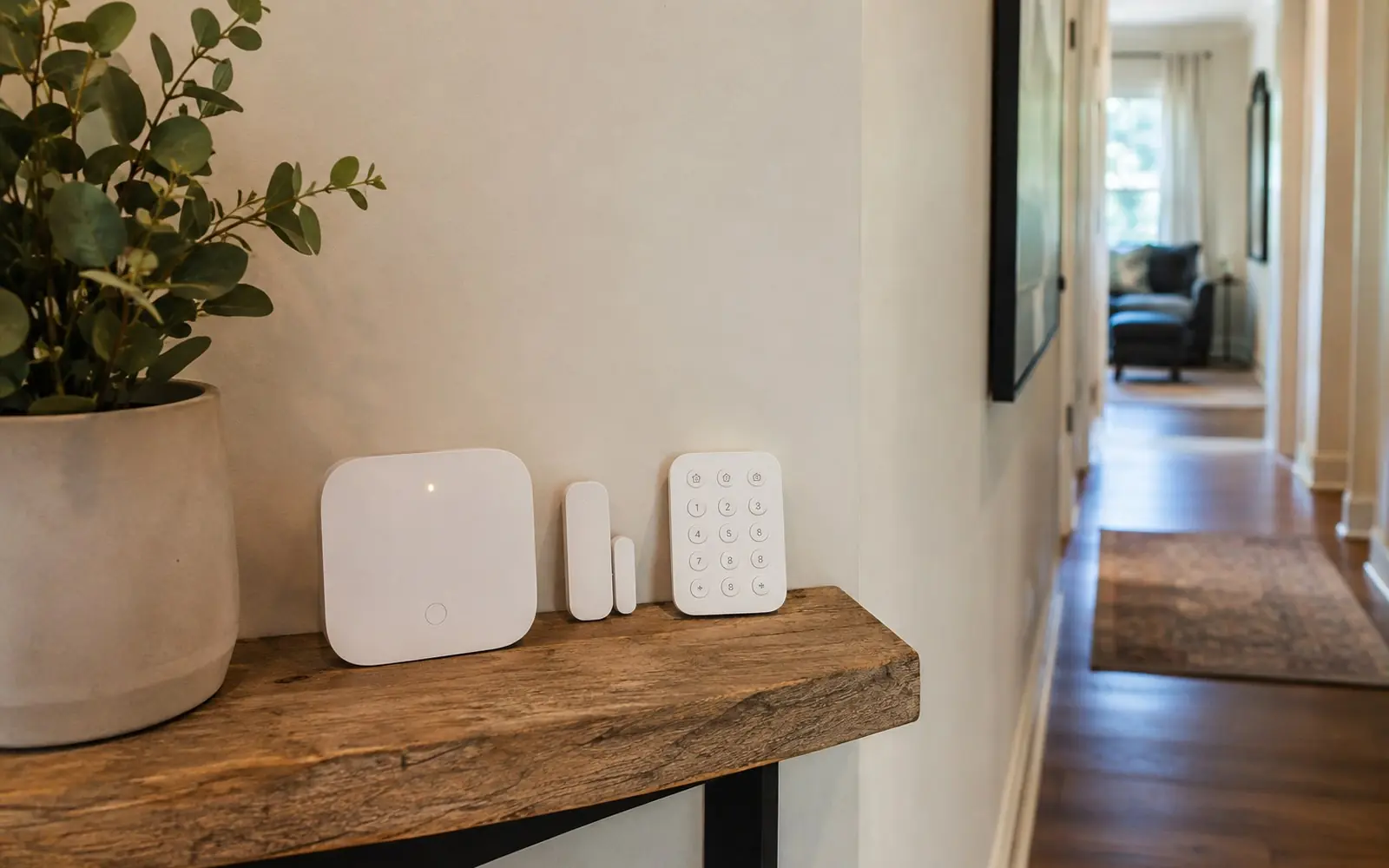
Wireless Home Security
What cellular backup and no-contract plans actually buy you, and which city rules apply to a self-installed wireless system anyway.
Going wireless changes the install, not your city's rules
Wireless changed two real things about home security: you can install it yourself in an afternoon, and you can buy monitoring by the month. SimpliSafe states plainly that its "Plans are paid monthly, with no contracts or hidden fees"2. Wyze publishes professional monitoring at $9.99 monthly or $99.99 annually3. That is a genuinely different purchase from a multi-year monitoring agreement signed at your kitchen table.
What wireless does not change is the part homeowners forget. Phoenix states that "a permit is required for alarm systems monitored by an alarm company as well as those that are not", and charges $96.00 for each burglar alarm response to an unpermitted address4. Your system being self-installed and battery powered does not exempt it. Montgomery County, Maryland goes further and requires that "Every burglar alarm system must be registered with the FARS before the system is placed into service"5.
The other thing to get right is the failure mode. A wireless system depends on your internet and on batteries, so the question to ask is what happens when either is gone. Cellular backup is a purchased feature, not a default. Abode includes "4G cellular backup that keeps your system online during internet outages" in its Pro plan at $26.99 a month or $245.99 a year1.
Six things to settle before you buy a wireless system
Wireless buying decisions cluster around three questions: what keeps it online, what you are committing to pay, and what your city expects from you.
Cellular backup
If the signal path is your home broadband, an outage is an outage. Abode puts 4G cellular backup in its Pro plan, described as keeping "your system online during internet outages", alongside 24/7 professional monitoring and automatic emergency dispatch, at $26.99 a month or $245.99 a year1. Confirm which tier includes it before you buy hardware.
Month to month plans
The no-contract model is the main commercial difference wireless brought. SimpliSafe states its "Plans are paid monthly, with no contracts or hidden fees"2. Wyze lists monitoring at $9.99 monthly or $99.99 for the year, a saving it advertises as 16 percent against $119.883. Check the annual figure against twelve monthly ones.
Permits apply to DIY too
This is the most expensive assumption in wireless security. Phoenix requires a permit "for alarm systems monitored by an alarm company as well as those that are not", and assesses $96.00 for each burglar alarm response and $105.00 for each fire alarm response to an unpermitted address4.
Register before you arm it
Some jurisdictions want the paperwork done first. Montgomery County, Maryland requires registration before the system is placed into service, charges "a non-refundable $30 registration fee" for each initial registration, and renews "every two years at a cost of $10"5. A lapsed registration removes your free false alarms entirely5.
Your monitoring company's dispatch credentials
In some cities the call itself has requirements your DIY kit cannot satisfy alone. Seattle states that since 1 January 2009, "if a company cannot provide a UIN to the 911 call-taker, the call will not be accepted or dispatched"6. Ask any monitoring provider how it handles the identifiers your city requires.
The false alarm ladder is identical
No city discounts its fees because your sensors are wireless. Austin gives three free burglary false alarms in twelve months, then charges $50.00 for the fourth and fifth, $75.00 for the sixth and seventh, and $100.00 for the eighth and beyond7. Your equipment choice does not enter into it.
What does it cost?
Monitoring is the part with public prices. Wyze is $9.99 a month or $99.99 a year3. Abode's self-monitoring Standard plan is $8.49 a month or $79.99 a year, and its Pro plan with cellular backup and professional monitoring is $26.99 a month or $245.99 a year1. SimpliSafe lists Standard at $22.99 and Core at $32.99, paid monthly with no contract2. There is no verified price for wireless hardware from any provider, because kit prices were not present in the pages as served, so ask for an itemised written quote instead.
The recurring cost people miss is municipal. Austin charges $50.00 for a twelve month residential permit and $220.00 for each response to a non-permitted location, plus Class C misdemeanor exposure carrying "a fine of $75.00 for the first occurrence and $100.00 for the second and subsequent occurrence"87. Phoenix charges nothing for the permit itself but assesses $96.00 per burglar alarm response without one4. Montgomery County charges $30 to register and $10 every two years5. Look up your own city before you buy.
Plan prices were read from each provider's own pricing page on 7 August 2026 and exclude hardware, taxes and permits. Permit and false alarm figures are the published schedules of the named cities only and are not national averages.
How to hire for a wireless security install
Who does the work
Often you. If you hire out, hire licensed. California charges an alarm company $660 for an initial licence and $825 to renew on or after 1 October 2025, and registers individual alarm company employees at $60 initially and $44 to renew10. Those are the fees a legitimate firm has already paid, and asking for the licence number is a fair question.
What pros will ask
Expect questions about wifi coverage at the far corners of the house, where the hub will live, battery replacement intervals, and whether you want cellular backup. Ask them back what happens during an internet outage and who supplies your city's dispatch identifiers. The FTC's own advice is to contact your police and fire departments about registration and fines before you commit11.
What to check before signing
Confirm the plan tier you are quoted is the one with cellular backup, since that varies by tier1. Confirm whether the price is monthly or annual. Then register the system before you arm it if your jurisdiction requires that, as Montgomery County does, because a lapse there means no free false alarms and an extra $100 charge on every one5.
Related searches homeowners make
Pulled from the same demand data behind our Home Security category.
Wireless security questions, answered straight
Is a wireless system less reliable than a wired one?
No authoritative source publishes a reliability comparison between wired and wireless residential alarm systems, so treat any confident claim either way as marketing. What you can check is the backup path. Cellular backup is sold as a plan feature rather than being standard: Abode includes 4G cellular backup in its Pro tier at $26.99 a month or $245.99 a year1. Ask which of your components have their own batteries, how long they last, and how you are told when one is low.
Do I need an alarm permit if I installed it myself?
In several cities, yes, and the rule is written to catch exactly this case. Phoenix requires a permit "for alarm systems monitored by an alarm company as well as those that are not" and assesses $96.00 for each burglar alarm response to an unpermitted address4. Montgomery County requires registration before the system is placed into service5. The FTC tells buyers to ask their police and fire departments directly about registration, fees and false alarm fines11.
What does no contract really mean?
It means no minimum term, not a federal guarantee that cancelling will be easy. SimpliSafe states its plans are "paid monthly, with no contracts or hidden fees"2. But the FTC rule that would have required simple cancellation of recurring subscriptions was vacated by the Eighth Circuit, and the Commission restored the older, narrower Negative Option Rule effective 12 February 20269. So read the actual cancellation terms rather than relying on a federal backstop.
What happens to my alarm when the internet goes out?
That depends entirely on whether you bought a backup path. Abode describes 4G cellular backup as keeping "your system online during internet outages" and puts it in the Pro plan1. Ask your provider what the system does during an outage, whether it alerts you that it is offline, and how the monitoring station knows. In Seattle, a monitoring company that cannot supply a unique identifying number to the 911 call-taker will not get the call dispatched at all6.
Does going wireless cut down on false alarms?
Nothing in the public record establishes that. The false alarm work that does exist is aimed at control panels: ANSI/SIA CP-01-2019 is the "Control Panel Standard: Features for False Alarm Reduction" and covers arming and disarming devices as well as the panel12. City fee ladders make no distinction by technology either, and Austin's three free alarms then $50, $75 and $100 apply to any residential system7. Sensor placement and arming habits are what you actually control.
Where these facts came from
Every figure on this page was read out of the page linked below. We do not cite cost aggregators.
- Abode, plans and pricing
- SimpliSafe, service plan options
- Wyze, Home Monitoring Service
- Phoenix Police Department, alarm information
- Montgomery County, Maryland, burglary alarm customers
- Seattle Police Department, monitored alarms
- City of Austin, emergency response assistance fee schedule
- City of Austin, alarm permits
- Federal Register, revision of the Negative Option Rule, 12 February 2026
- California Bureau of Security and Investigative Services, fee schedule
- FTC, how to avoid scams when you shop for a home security system
- Security Industry Association, ANSI/SIA CP-01-2019 control panel standard
Get quotes for your wireless home security project
Free for homeowners. No obligation. Up to four local pros compete.
Keep planning
More guides from the Home Security hub.
Home Security Advice, Tips and Reviews
How to judge a home security company on records that cannot be bought: licences, federal enforcement actions, and prices the company publishes itself.
Read the guideAlarm Permits and False Alarm Fees
Published permit prices and false alarm ladders from nine US jurisdictions, quoted exactly, plus the point where police stop coming.
Read the guideMonitored vs Self Monitored
The published price gap between self-monitoring and professional monitoring, worked out per provider, and what the extra money actually buys.
Read the guide